We had tried some of the activities with JClic but at the last meeting face "create" two activities of the many options that will provide this tool: a puzzle and a puzzle.
Let us recall the steps to follow if anyone remembers us and want to practice.
"1-Open the author JClic icon you have on your desktop.
2. We give " file " and then to New Project .
3. It opens a new screen and we put a "Title" Project (usually puts the issue we work on activities to create). We give "OK. 4.A
then cover the other fields that appear. author , center, languages \u200b\u200b... For this we give the symbol + and write in the appropriate section. We insert in
"Media Library" images we need to select the appropriate folder on your computer.
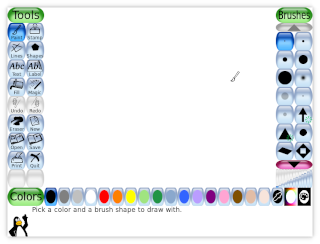
(Remember that in the desktop folder "aaa" images you have tuxpaint-data in " saved" and "stamps" that you can use ) 5.Luego
we give " Activities " and symbol that looks like the computer mouse is lower left, select " soup letters" and asks us to give a name to this activity.
6. Accepted and in the window that appears we "panel" and add the number of boxes that we will use both horizontally and vertically. We also write "hidden words" for this we give the symbol + and we are writing on the panel.
ecrit When we have the words in the panel we give the symbol "play" and the program and fill the gaps and we can prove the activity.
7. To make the "puzzle" activities we go again and select "puzzle double 'we name and we put the number of pieces and type of lace them.
Insert a picture (must be in the Multimedia) in "image" and we can prove it.
Keep trying the rest of the activities to see if you go ...
If you have questions you know where to find the network and also there are many tutorials
on this program some of them even
d videos that you explain in detail.
explanation will try to put the pictures if you still having problems.
courage!




 We have seen other programs ....., visited links may be useful for your classes ...... but tomorrow we continue ¡¡¡¡¡